
The Power of Flipbook Software
What is a Flipbook Software?
A flipbook software, also known as an online flipbook maker, is a digital publishing tool which converts static PDF files into interactive HTML5 flipbooks. A flipbook is a digital publication that simulates the experience of flipping through the pages of a physical book or magazine by offering a page turning effect and sound. Besides this “natural interactivity” there are many possibilities to add elements that will increase the interactivity and the engagement of the readers like images, videos, links, pop-ups and much more. Flipbook owners have the ability to track publication data, which proves valuable for marketing purposes. Marketers, publishers, educators, and businesses utilize flipbook software to showcase their digital content in a captivating and interactive manner, effectively capturing users' attention and prolonging their engagement on websites.
At Paperturn, we have many years of experience in the “flipbooking” world, and we are consistently (and frequently) adding new features and making improvements to our flipbook maker platform. All you need to do is upload a PDF file and our software will create the HTML5 flipbook for you, in under a minute!

What types of publications can you create with a flipbook maker?
An online flipbook maker, such as Paperturn, allows you to create any kind of publication or document your heart desires. Our flipbook software is incredibly versatile and can transform virtually any content that is typically distributed in PDF format.
Here are some suggestions of what you can create with our flipbook making software:

What can Flipbook Software do for you?
The fundamental capability of flipbook software revolves around converting PDF files into dynamic flipbooks. A good flipbook maker often encompasses many other crucial features, including:
1. Multimedia Integration

To enhance interactivity and foster engagement, flipbook software typically offers a diverse array of features enabling users to incorporate multimedia elements such as images, videos, GIFs, sound effects, and music into their flipbooks. Furthermore, it is possible to add hyperlinks that direct readers to specific pages within the flipbook, external websites, or contact information. By integrating multimedia you can better capture the attention of your audience (and keep it!) and deliver a memorable user experience.
2. Interactive Elements

3. Customization and Branding

4. Mobile-Friendly Publishing

5. Analytics and Insights

6. Sharing & Embedding

7. eCommerce Integration

8. Collaboration and Teamwork

9. SEO Optimization

10. Multiple Language Support

11. Privacy Control

12. Overwrite Feature

13. Favicon & Home-Screen Bookmarking

14. Newsflash Icons
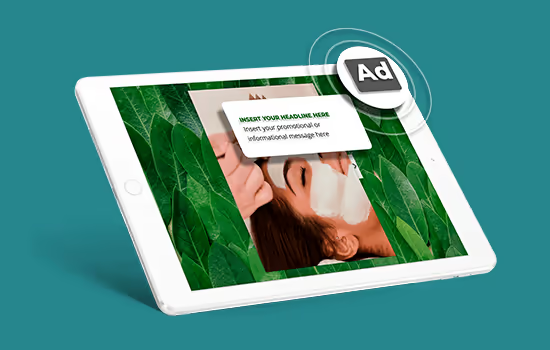
15. Advertising Banners

Are you eager to try our flipbook software and see what it can do?

What Are the Benefits of Using Flipbook Software?
In addition to the aforementioned features of flipbook software, there are several distinct advantages worth highlighting. Foremost, flipbook software offers a convenient and efficient method of content creation by enabling quick and easy conversion of PDF files with just a few clicks. This streamlined process saves valuable time and effort in content creation and document conversion. Furthermore, flipbook software ensures accessibility across devices and browsers, catering to the growing prevalence of mobile devices. The ability to seamlessly access and enjoy flipbooks on smartphones and tablets becomes increasingly important, allowing your audience to engage with your content anywhere, anytime. From a cost perspective, flipbook software presents a cost-effective solution compared to traditional publishing and distribution methods. By eliminating printing costs and the need for physical storage space, it not only reduces expenses but also has a positive environmental impact by promoting digital publication opportunities. The flexibility of flipbook software, with features like overwriting, simplifies the process of updating flipbooks or implementing changes. This saves time and effort in managing and maintaining content, ensuring that your publications stay up-to-date and relevant. Finally, flipbook software provides additional benefits such as performance tracking and user data insights, enabling you to monitor engagement metrics, track user behavior, and optimize your content strategy - and more.
Why You Should Use Flipbooks Instead of PDF Files
That flipbook software comes with certain benefits is already proven but still there are more - other - advantages of flipbooks over PDF files we should have a look at.

Flipbook Software and Interactivity

Flipbook Software and Customer Support
While PDF is a widely used file format, flipbooks are associated with specific companies that provide the hosting and software services, ensuring customer support availability. The level and quality of support may vary depending on the flipbook software provider. Paperturn’s flipbook software offers multiple channels for customer contact, including chat, email, and phone support. Additionally, we have a dedicated section on their website addressing frequently asked questions, providing immediate assistance for common uncertainties and issues. In summary, using flipbook software ensures you have a reliable helping hand whenever you need it.

Flipbook Software and GDPR Compliance
While it is challenging to make a general statement about the inherent security of flipbooks compared to PDF files, several important factors should be considered regarding data security and flipbook software. Ideally, flipbook software incorporates some level of data security measures, and reputable providers typically prioritize the protection of user information. Paperturn, for instance, adheres to relevant regulations in the EU such as the General Data Protection Regulation (GDPR), which imposes strict guidelines on data collection, processing, and handling to protect individuals' privacy and personal data. Additionally, we also comply with data protection regulations from other countries, including the Australian Privacy Act and Canada's Personal Information Protection and Electronic Documents Act (PIPEDA). We highly value our users' data and have established a legal portal where users can access essential information about how we use and protect their data.

Flipbook Software and Accessibility
In today's inclusive world, accessible software is crucial for individuals with disabilities to effectively access, navigate, and interact with digital content. Paperturn is fully accessible, offering features like text-to-speech, screen reader compatibility, and keyboard navigation. We prioritize compliance with assistive technologies and accessibility standards, such as WCAG 2.1, to ensure inclusivity. However, achieving accessibility also requires effort from the user. This means that for a PDF to be accessible after being converted using Paperturn, it needs to already meet accessibility requirements. This can be accomplished by employing readable text formatting and including alternative text for images, among other considerations. However, we don't leave you to navigate this process on your own. Our comprehensive guide provides you with step-by-step instructions on how to create an accessible PDF.

Cloud-Based Flipbook Software
One of the standout features of cloud-based flipbook software, such as Paperturn, is its accessibility. As our software is hosted on the cloud, you can access it from anywhere, at any time, as long as you have an internet connection. This means that whether you are in the office, at a client's location, or working remotely, you can create, edit, and share flipbooks seamlessly. Another advantage of our cloud-based flipbook software is its collaborative capabilities. Multiple team members can work on the same project simultaneously, making it ideal for organizations with dispersed teams or for collaborating with clients. Storage and scalability are key considerations when using cloud-based flipbook software in general. Your flipbook projects and associated files are securely stored in the cloud, eliminating the need for local storage or physical servers. Paperturn provides ample space for your publications, and you can easily scale up or down based on your needs, ensuring flexibility and efficiency in managing your content.
Want to know more about Paperturn's flipbook software?

Bringing Content to Life
Now that you have gained a comprehensive understanding of what flipbook software entails and its benefits, let's delve deeper into the practical aspects of using a flipbook maker. Explore how you can harness Paperturn’s capabilities to create captivating digital publications and discover the wide range of possibilities in terms of design and appearance.

Mastering Flipbook Creation: A Step-by-Step Guide with Paperturn
With Paperturn, a leading provider of flipbook software, you can effortlessly transform your PDF files into captivating digital flipbooks. Follow these simple steps to create your very own engaging flipbook:
1. Upload your PDF

Upload your PDF and within minutes it’s converted into an interactive flipbook. Follow our guidelines for an optimal upload for the best results — and our accessible PDF guide if inclusivity matters to your audience.
2. Customize and enhance in the editor

Open your flipbook in your account and use the features described above to brand it, add interactivity, embed multimedia, and optimize for search. Quick links to the most-used actions:
- Branding: add your logo, custom CNAME, background colors and music, or remove Paperturn branding entirely.
- Interactivity: drop in iFrame widgets (360 tours, maps, polls), pop-ups, or activate a shopping cart.
- Multimedia: embed YouTube/Vimeo videos, add music or sound effects, and insert images, GIFs and links.
- SEO: add meta titles, descriptions and keywords using our SEO feature so the flipbook ranks on Google and Bing.
3. Embed and share

When your flipbook is ready, embed it into your website, send it via email or your email signature, or share it on social media.
4. Track performance and capture leads

Monitor reading duration, click-through rates and other key metrics through our built-in statistics or Google Analytics 4 integration. Want to know who’s reading? Activate a lead capture form to collect contact details for follow-up.
Q: What happens if I don’t know how to use some of your features?
A: We’ve created a comprehensive help guide to assist you with implementing all of our features, in no time!
Do you want to experience our software firsthand? No need to worry because we have you covered! Take advantage of our 14-day free trial and test out our flipbook software at no cost to you!
Unlock the Power of Paperturn - Your Flipbook Software & Flipbook Maker
With numerous flipbook software providers available in the market, we understand that choosing the right flipbook maker can be overwhelming. Figuring out which platform offers the features you need and aligns with your preferences can be a complex task. Allow us to assist you by introducing some of the key advantages we offer:
Real human support via chat, email, phone and video call, Monday to Friday 09:00–22:00 (UTC+1).
Fully GDPR-compliant (EU/UK) — see our legal portal for full details on how we protect your data.
WCAG 2.1 accessible — both the flipbook editor and the viewer are usable by everyone.
Cost-effective — plans starting at just $12 per month, with Basic and Pro options to match your needs and major savings on printing costs.
Over 50 features to enhance, customize and supercharge your flipbook — driving more engagement, traffic and reach.
Completely ad-free. No ads appear in our viewer, so your audience is never distracted. You can also remove all Paperturn branding and take full credit for your publication.
Free 14-day trial — try it without a credit card and make sure Paperturn fits your needs before committing.
Here are some of our loyal customers who love our flipbook software and flipbook maker:

How Can Flipbook Software Transform Your Content - Inspiring Examples
Flipbook software is incredibly versatile and can be used to transform various types of content that are typically transported in PDF format. Whether it's magazines, brochures, enterprise documents, eBooks, catalogs, or school brochures, our flipbook software offers a seamless solution for all. You may wonder, what do these flipbooks actually look like? Let's take a look at a few examples to give you a better idea.
For those in the eCommerce industry, creating a visually appealing catalog or product catalog is crucial. It allows you to showcase your products, highlight new arrivals, and promote seasonal offers effectively. With our flipbook software, your catalog can transform into a dynamic and engaging publication. Here's an example of how it could look like:
The creators of this flipbook took advantage of numerous features available in our software, such as advertising banners, internal and external links, background music, sound effects, videos, and other multimedia elements. These features allow for a more interactive and engaging reading experience, making your content more enjoyable and memorable for your audience.
If you work in the real estate industry as a real estate agent, marketer, or in any other position, our flipbook software can be extremely beneficial to you. It enables you to create captivating portfolios, feature sheets, and buyer guides that can effectively persuade your clients. Here's an example of how a flipbook showcasing a property could look like:
Ready to create your first flipbook with our software?