
How to Turn a Flat PDF Into an Interactive Flipbook
You built a PDF that looks right. You sent it out. Then silence. You cannot see who opened it, which pages they read, or whether anyone got past the cover. The fix people search for is an interactive PDF. The version that actually delivers is a flipbook, and your flat file is one upload away from becoming one.
This guide covers what an interactive PDF really means, why most attempts break on a phone, and how to turn a static PDF into an interactive flipbook that links, plays video, captures leads, and tells you exactly what your readers did.
What an interactive PDF really is
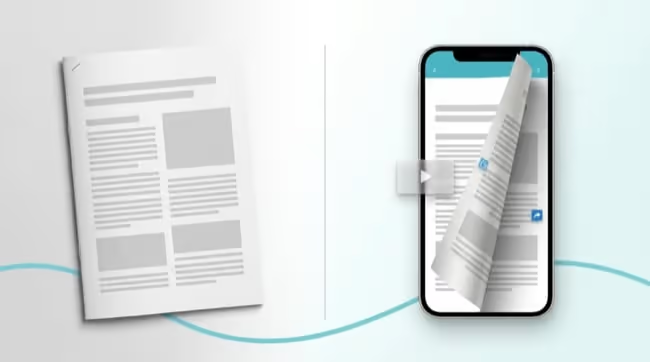
Most people picture an interactive PDF as buttons and form fields added inside the file. That kind of interactivity depends on whatever app the reader opens the PDF in, often breaks on mobile, and still asks for a download first. It stays trapped inside a format built for printing.
What you actually want behaves like a web page. It opens in the browser as an HTML5, page-turning flipbook. No download, no plugin, no app. It looks the same on a desktop, a tablet, and a phone, and it opens fast.
Inside it, the page does things a flat file never could:
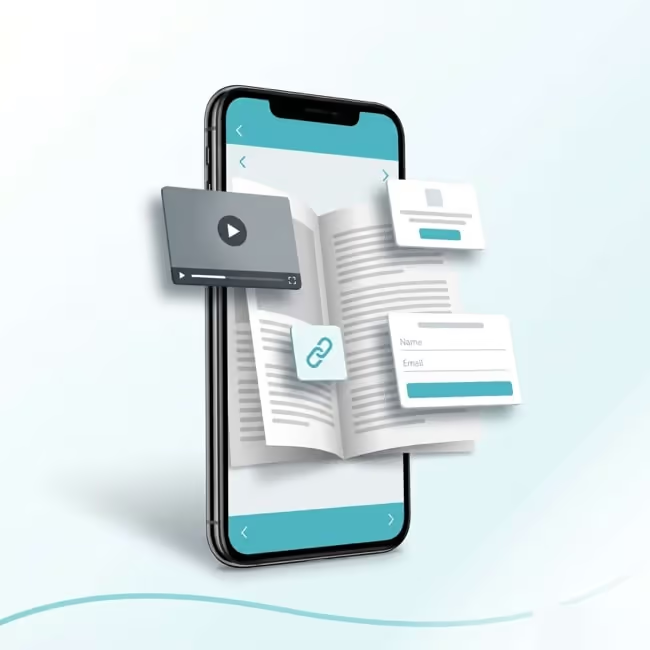
Clickable links that send readers to a product page, a booking form, or a video
Embedded video and pop-ups that play without leaving the page
A lead-capture form that collects a name and email at the moment of interest
Built-in tracking, so you can see how many people open it and which links they click
That is the real shift. The interactive PDF people are looking for is not a heavier file. It is a flipbook: your content on the open web, with interactivity built in and a record of how people engage with it.
How to turn your PDF into an interactive flipbook
The design work is already done. You are not rebuilding anything, you are converting what you have. The PDF to flipbook process comes down to 3 steps, and if you want the full walkthrough, here is how to create an interactive PDF step by step.
Upload your PDF. It becomes an HTML5 flipbook that opens in any browser.
Add the interactivity. Hyperlinks already in the PDF are detected automatically. From there you drop in video, links, and pop-ups where they belong, plus a lead form if you want one.
Publish and share one link. Send it by email, embed it on your site, or print a QR code on a sign. It is the same flipbook everywhere.
After that, you can update the content without changing the link. Fix a price or swap a page, and every place you shared it shows the new version. Upload a PDF, and your flipbook is ready in minutes. If you want to see finished ones first, browse a gallery of online flipbook examples.
What an interactive flipbook unlocks, by team
The format is general, but the payoff is specific to what you publish.
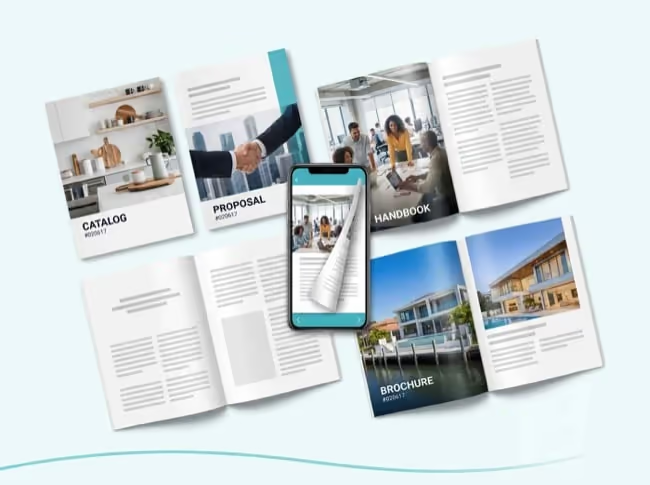
Marketing. A catalog or brochure that tracks which links get clicked and captures leads on the page, so you can report on what the content actually drove.
Sales. One proposal or price-list link per account, always current. You can see what the buyer actually opened and clicked before the follow-up call.
HR and internal comms. A handbook staff read on a phone through a QR code on the break-room wall. Update a policy once, and nobody is working from an old PDF.
Real estate. A property brochure that sends cleanly over WhatsApp, looks sharp on a phone, and plays the walkthrough video inside the listing.
Same upload, different result. The flipbook meets each team where their readers already are.
From interactive PDF to Paperturn flipbook
The gap between a flat PDF and a flipbook is the gap most teams feel every day: no idea who read it, no way to fix it without re-sending, no link they can trust to stay current. That is the gap Paperturn closes.
You upload the PDF you already have. It becomes a flipbook that opens in any browser, carries your links and video, and can be updated later without changing the link you shared. You get page-level analytics from the first publication, so the brochure or catalog you used to send into silence finally tells you what readers did.
Paperturn is rated 4.9/5 on Capterra and Google, with support 7 days a week from real people. Every flipbook is ad-free, GDPR-compliant, and built to meet WCAG accessibility standards.
Turn your PDF into a flipbook today
A flat PDF hides your readers from you and costs you the engagement you worked for. The interactive PDF you have been picturing is really a flipbook: it opens anywhere, it does something on the page, and it tells you what happened. The distance between the two is a single upload.
You already have the file. Start your free 14-day trial and turn your next PDF into an interactive flipbook in minutes.