
How to Create a Digital Magazine That Readers Finish
Opening a magazine is the easy part. Finishing it is the real test. This guide walks through how to create a digital magazine that holds attention from the cover to the final page, the design decisions that keep people turning, and the data that tells you exactly where readers drop off.

Why most digital magazines lose readers early
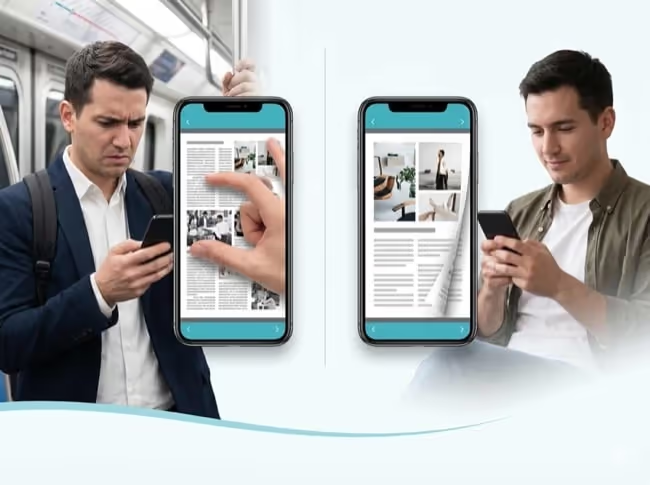
A digital magazine usually starts life as a PDF. That works for printing. It works poorly for reading on a screen. A 40-page PDF is heavy, slow to load, and awkward to navigate on a phone, which is where most people open it.
The result is predictable. Readers open the file, skim the first few pages, and close it. They never reach the article you cared about most.
A few specific things drive that drop-off:
The file loads slowly, especially on mobile data
Pinch-and-zoom reading is tiring, so people give up
There is no sense of how much is left or what is coming
Nothing on the page pulls the reader forward
On some platforms, third-party ads break the flow
You cannot fix what you cannot see. Most PDF magazines give you no data on where readers leave, so the same problem repeats issue after issue.
What a digital magazine readers finish looks like
A magazine people finish does a few things well. It opens instantly on any device, reads cleanly on a phone, and gives readers a reason to keep going.
Picture the difference. Instead of a static PDF, the reader gets a page-turning publication that loads in seconds. The text stays sharp at any zoom. A table of contents lets them jump to what interests them, and search helps them find it. Video plays inside the page. Links lead somewhere useful. Nothing on the page is selling something that is not yours.
The markers of a finishable magazine:
Loads fast and reads well on mobile
Clear navigation: contents, search, and page links
Interactive moments that reward continued reading
Ad-free, so the only brand on the page is yours
A single link you can update without re-sending it
This is the standard to aim for when you create a digital magazine. The format should disappear so the content can do its work.
How to create a digital magazine step by step
You do not need a developer or a design degree to go from PDF to digital magazine. The workflow is straightforward, and it works whether you are building a one-off issue or a recurring online magazine.
1. Start with a well-designed PDF. Build your layout in the design tool you already use, then export to PDF. Keep spreads clean and the text large enough to read on a phone.
2. Structure for momentum. Put a strong piece early, but give readers a reason to reach the end too. A recurring feature, a closing interview, or a reveal on the last page all pull people forward.
3. Convert the PDF into an interactive publication. Upload your PDF to Paperturn and it instantly becomes a page-turning magazine that opens in any browser, with no download required.
4. Add interactivity where it earns its place. Embed a video in the feature article. Link a product mention to its page. Add a pop-up with extra detail. Use these to deepen engagement, not to decorate.
5. Publish to one link and share everywhere. Put the same link on your website, in email, on social, and behind a QR code. One source, every channel.
Once your PDF is ready, the whole process takes minutes, not the weeks a print production cycle demands.
Design choices that keep readers turning pages
Getting the magazine online is step one. Keeping people in it is a design discipline.
A few choices separate a magazine people skim from one they finish:
Pace the content. Follow a dense article with a full-bleed image or a short, punchy page. Rhythm keeps reading from feeling like work.
Lead every section with a strong visual. The first thing on a spread should pull the eye, then hand off to the text.
Place interactive moments deliberately. A video 3 pages in gives an early reader a reason to stay. A link near the end gives a finisher somewhere to go.
Respect the phone. Most readers are on mobile, so test every spread at phone size before you publish.
Keep one idea per spread. Crowded pages are the fastest way to lose a reader.
None of this requires a bigger budget. It requires deciding, page by page, to make continuing easier than leaving.
How Paperturn helps you create a digital magazine readers finish
This is where the tool matters. Paperturn turns a finished PDF into an interactive, page-turning magazine in minutes. Upload the file and it opens instantly in any browser, on any device, with no app to download.
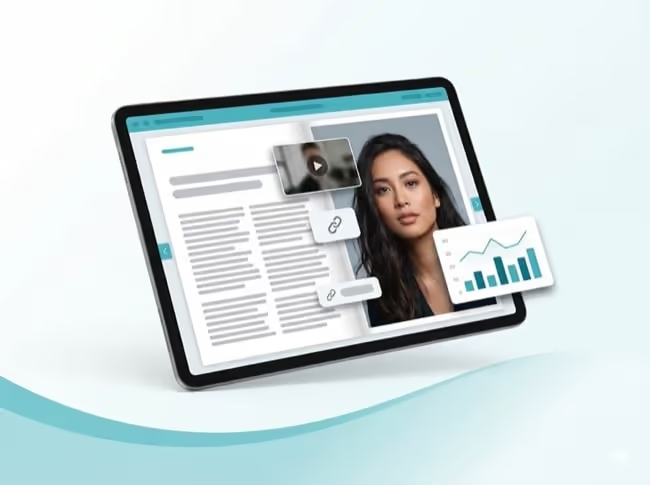
The reading experience is built for finishing. The viewer is responsive, so a spread that looks good on a laptop also reads well on a phone. Readers can use a table of contents, search the text, and zoom without the page turning fuzzy. You can embed video, links, and pop-ups directly in the page, so a feature article can carry a clip and a product mention can carry a link.
Then there is the part PDFs never gave you: data. Paperturn's page-level analytics show which pages readers spend time on and where they leave, so each issue can be sharper than the last. Panasonic moved from static PDFs to interactive flipbooks and saw email click-through rise 6x.
And when you spot a typo or update a story, publication overwrite lets you replace the content without changing the link you already shared.
Create your digital magazine today
A digital magazine readers finish is not an accident. It comes from 3 decisions: choose a format that reads well on a phone, design each page to make continuing easy, and use the data to fix the spots where readers leave.
Get those right and the magazine does its job, page after page, issue after issue.
Upload your first PDF and watch it become an interactive magazine in minutes. Try Paperturn free for 14 days and turn your next PDF into a digital magazine readers actually finish.