
The Hidden Reason Sales Teams Ignore Your Decks
Reps ignore a sales deck when it is hard to use in the middle of a conversation. The design is usually not the reason. A sales deck has one job: to help a rep sell. Two things stop it from doing that job and each one is small on its own. Together they teach reps to stop opening the deck, and then the deck sells nothing.
This article takes these two problems one at a time, shows how each plays out in a real week, and covers what to change.
By Tamara Bolibruchová

A sales deck the rep cannot use in the moment
Take a normal call. The buyer is 15 minutes in and asks how pricing works for a team of 10. The rep knows the answer is in the deck, on a page somewhere around the middle. Here is what happens next.
The rep stops talking and opens the file. It takes a few seconds to load. The rep scrolls, passes the wrong pages, and scrolls back. The buyer waits. After 20 seconds of silence the rep gives up and promises to send the details after the call. The follow-up email goes out with the whole deck attached. The buyer sees a large attachment and a long document, and never opens it.
Nothing about the design caused this. The deck was built to be presented in order, from page 1 to the end. A call does not work in order. The rep learns the lesson fast: the deck slows the conversation down. Next time, they answer from memory and skip the deck.
How to fix this in 3 steps
Step 1: Start with the buyer's questions
Ask your reps for the 5 questions buyers ask most. For example: pricing and plans, how it works, who else uses it, what happens after signing, and a short comparison. Make sure each question has 1 page that answers it on its own.
Step 2: Make each page stand alone
Give every page a clear title. A page that only makes sense when a presenter explains it will never be sent by itself. If a buyer can read it cold, a rep can send it cold.

Step 3: Let the rep answer in seconds and keep the deal moving
The goal is a rep who can answer a buyer on the spot, because a fast, clear answer keeps the buyer interested and moves the sale forward. A sales deck as a flipbook is one way to get there. Export your deck as a PDF and upload it to Paperturn. The rep gets one link that opens in the browser on any device, with nothing to download. When the buyer asks about pricing, the rep searches the flipbook, lands on the page and answers. After the call, the rep sends a link to that 1 page, so the buyer sees the answer they asked for and nothing else. If the buyer would like to see the product in action, video, links and pop-ups can sit on the page itself. Paperturn's page for sales teams covers how this fits into a sales process.
One sales deck, one version, every time
The second problem is quieter. It starts with a normal update. On Monday, marketing changes the pricing page. The new file goes into the shared folder, and a message goes to the team.
On Tuesday, a rep who is travelling sends a deck from the copy saved on their laptop. It is the old version. On Wednesday, another rep forwards last month's email to a new contact, with last month's attachment. By Friday, 3 buyers hold 3 versions of the deck. Nobody knows it yet.
The problem shows up in a call. A buyer points out that the deck shows one price while a colleague quoted another. The rep has no good answer. They did not do anything wrong. The deck did not tell them which version it was. The price gets corrected, the buyer is polite, and the damage is done: the buyer now wonders what else is out of date.
The rep draws a conclusion too. If the official deck cannot be trusted, building a private version is safer. Now there are 5 decks in use, and marketing does not know about 3 of them.
The goal here is trust. A buyer who sees the same, current numbers from every rep trusts the company more, and trust is what a sale rests on. The fix is to stop sending files and start sending 1 link.
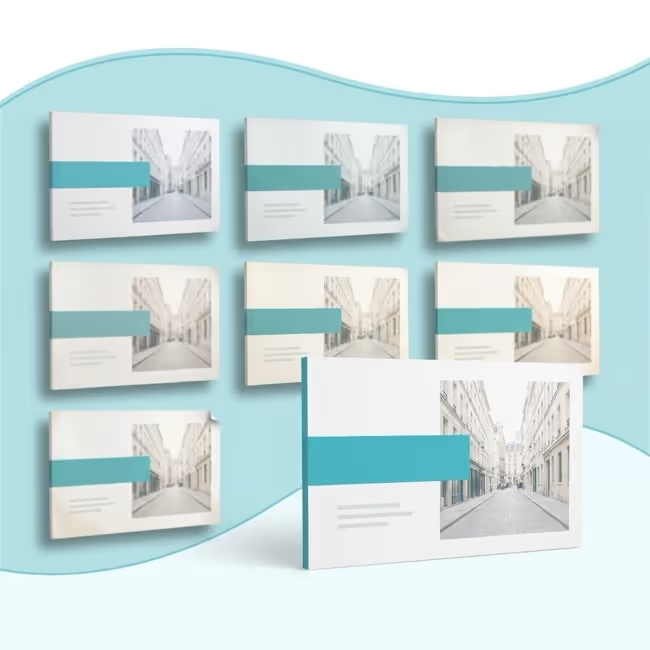
How to fix this in 3 steps
Step 1: Make the change once
Edit the source file in your design tool or presentation software and export a fresh PDF. Paperturn does not edit the text inside a PDF, so this part stays in your tool.
Step 2: Replace the old PDF
Upload the new PDF over the old one. The link stays the same, and anyone who opens it, today or from an email sent last month, sees the new version.
Step 3: Agree one rule
Reps send the link and never the file. Pin the link in the team's chat channel or shared document so nobody has to look for it. If a rep needs to send it by email or a message, they share the link, and nothing is attached.
Know the limit. If you let readers download the deck, a downloaded copy will go out of date like any other file. Download and print controls let you switch downloads off.
The same one-link idea works whenever a document has a job and changes often, whether that is to present, inform or train. For one example of presenting well, see how to build a real estate presentation that sells location, value and trust.
Conclusion
A sales deck gets ignored when a rep cannot reach the right page in seconds, or cannot trust that it is current. Fix those 2 things and the deck does its job: it helps the rep sell, and reps reach for it instead of working around it.
Upload your sales deck as a PDF to Paperturn and see it as a flipbook in minutes. Start a free 14-day trial.